Ball Pit Simulator Gamepasses, Store UI, and VIP Reality
How to find real Robux prompts in Ball Pit Simulator—without invented pass names or fake VIP servers.
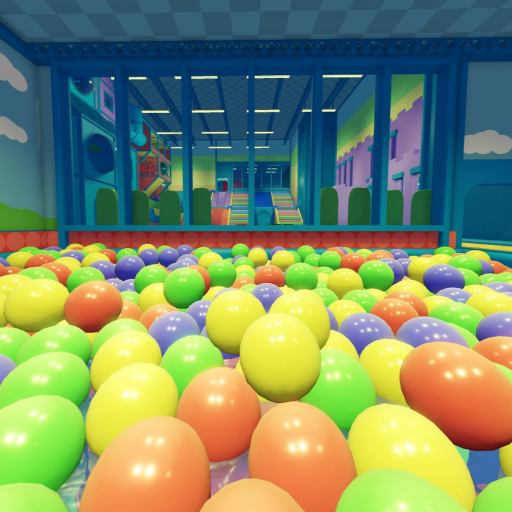
Players searching for Ball Pit Simulator gamepasses, VIP servers, or Robux unlocks usually want a price list. This page instead teaches an honest Store and purchase workflow for Patch’s Ball Pit! place 6586268946: how to spot real in-experience prompts, what VIP servers mean here, and how paid pit toys may appear—without inventing pass names, Robux amounts, or badge rewards. Bookmark it beside the Links Hub, Ball Pit Settings, Scripts Safety, Codes, and Latest Update.
Quick truth table
| Topic | Honest status |
|---|---|
| Free-to-play core | Yes — pit, tubes, trampolines, arcade, roleplay work without paying |
| In-experience purchases | Possible — look for Roblox purchase dialogs in-world |
| Invented wiki price list | No — we do not fabricate pass names or Robux costs |
| VIP / private servers | Not available for this experience (createVipServersAllowed false) |
| Verified public codes | Rare / often none — see Codes Hub |
| Official badges focus | Community reports emphasize play over badge hunting |
How to find Store and gamepass buttons in-experience
Roblox experiences surface monetization in several ways. Ball Pit Simulator may use proximity prompts, labeled stands, developer product buttons, or pit-configuration toggles that open a purchase confirm. Because UI can move after a republish, treat these steps as a search method, not a frozen map:
- Join from the official Roblox page so you land in the real place ID.
- At spawn, pan slowly. Note any boards, pads, or kiosks with shop, morph, VIP, or unlock wording.
- Walk the pit rim and plazas. Configurable toys—overflow, gravity-style, black-hole, bombs, and similar community-reported pit settings—sometimes sit on buttons near the play space. Read Ball Pit Settings for play etiquette around those toys.
- When a prompt appears, read the full Roblox purchase dialog. Confirm the experience name matches Ball Pit Simulator before spending.
- Cancel anytime. Free play remains complete without optional purchases.
- After any publish, re-check button locations using the smoke mindset on Latest Update.
If a YouTube thumbnail lists exact Robux prices or “secret OP gamepass” names you cannot find in your client, distrust the thumbnail. Pass catalogs drift; screenshots lie; only the live dialog is authoritative.
What we will not invent on this wiki
- Named gamepasses with fabricated prices
- Guaranteed “VIP morph pack” contents we have not verified in UI
- Limited-time shop rotations presented as permanent facts
- Codes that double as paid unlocks (Codes stays separate and honest)
- Third-party “buy Robux cheaper” storefronts
When creators ship a clear store label, future edits can quote what players actually see. Until then, process beats fiction.
VIP servers are not available
Roblox metadata for this universe indicates VIP / private server creation is not allowed (createVipServersAllowed false). That means you should not expect a standard “Buy VIP Server” flow on the experience page the way many tycoons offer it.
Practical alternatives (etiquette, not VIP)
Because paid private servers are unavailable, quieter sessions rely on social tools:
- Play with friends on the same public server and stick together at a rim or plaza.
- Use friends-only style coordination: meet in a quieter corner, agree on soft rules, and ignore griefers by relocating.
- Keep Ages 5+ chat clean so random joiners do not escalate.
- Host short opt-in roleplay invites instead of claiming a “VIP zone” you cannot lock.
- Leave and rejoin for a fresh 50-player lobby when the current one is chaotic.
Calling a public corner “VIP only” without purchase power is just exclusion. Prefer consent-based friend hangouts over fake velvet ropes.
Paid pit buttons and developer products
Community reports describe configurable pit toys—overflow-style floods, black-hole pulls, low gravity, bombs, and similar spectacle buttons. Some of those interactions may be free toggles; others may open Robux developer product prompts. Rules of thumb:
- Assume a glowing paid-looking button might cost Robux until the dialog proves otherwise.
- Never mash confirm during a chaotic pile-on; kids in the lobby can mis-tap.
- Tell your group before enabling a wild setting that flings everyone.
- After enabling a physics chaos toy, give people a path back to normal play.
- Re-verify which buttons are paid after the 2026-11-13 republish window and any later Updated stamps.
Details on using those toys kindly belong on Ball Pit Settings. This page only flags the monetization honesty angle.
Morphs, cosmetics, and roleplay purchases
Family morph talk (kid/parent) shows up in community clips. Treat morph unlocks like any other store item: find the live prompt, read the dialog, skip if unsure. Roleplay quality does not require a receipt—see Kid and Parent and Roleplay Guide.
Scam patterns to reject
- Discord DMs selling “VIP server keys” for a game that disallows VIP servers.
- Sites asking for your Roblox password to “gift a gamepass.”
- Executor scripts promising free gamepasses—malware territory (Scripts Safety).
- Fake limiteds tied to Ball x Pit or unrelated pit games.
- QR codes on random images that are not Roblox’s own purchase UI.
If a deal only works outside Roblox’s official payment sheet, walk away.
Parent and caregiver spending checklist
- Confirm the place ID
6586268946before any purchase. - Use account PIN / parental spend controls on Roblox where appropriate.
- Explain that the playground is already fun for free.
- Prefer watching the purchase dialog together on shared devices.
- After buying something, note what changed so you can re-find it next session.
How this page fits the wiki map
- Links Hub — official URLs and identifiers
- Ball Pit Settings — using pit toys without wrecking lobbies
- Scripts Safety — reject unlock cheats
- Codes — promo strings are not gamepasses
- Latest Update — re-check UI after republishes
- Getting Started — free onboarding path
After a store UI moves
When a publish rearranges stands, update your personal notes with the Roblox Updated stamp, a short description of where the prompt moved, and whether VIP server buttons remain absent. Share structured eyewitness notes instead of viral “new secret pass” rumors.
Related pages
Spend only when a live Roblox dialog earns your trust. The pit’s best features—splash, tubes, trampolines, arcade, and kind roleplay—were free the day you favorited the experience.
Frequently Asked Questions
Quick answers to the most common questions.
Does Ball Pit Simulator have VIP servers?
No. VIP / private server creation is not available for this experience, so plan friend meetups on public servers with etiquette instead.
What gamepasses exist and how much do they cost?
This wiki does not invent pass names or Robux prices. Open in-experience prompts and read the official Roblox purchase dialog for live details.
Are pit setting buttons free?
Some configurable pit toys may be free toggles while others may charge Robux. Always read the confirm dialog before accepting—see Ball Pit Settings.
Can scripts unlock gamepasses for free?
No safe path exists. Executor unlock promises are scams or Terms violations—read Scripts Safety.
Where do I verify store UI after an update?
Check the Roblox Updated stamp and run an in-world prompt search, then compare notes with Latest Update.